
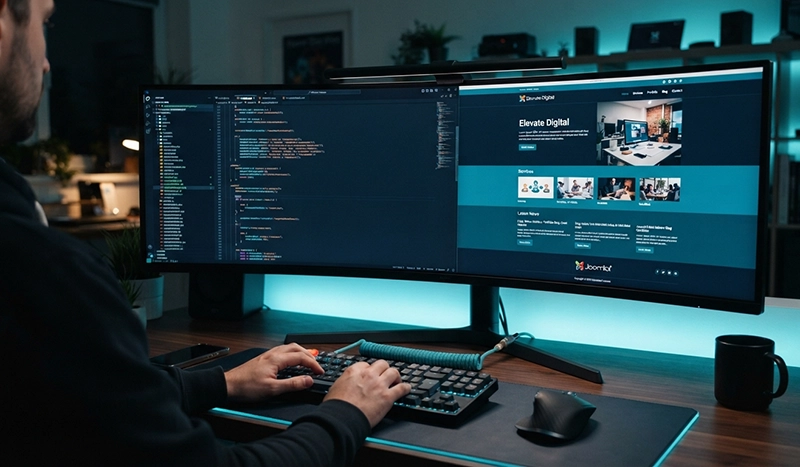
Modern Joomla gives developers, businesses, and content managers a flexible foundation for building websites that need more control than a basic page builder while still providing a manageable administration experience.
I have worked with Joomla across different generations of the platform, and one of the things I continue to appreciate is its balance between structured content, template control, module management, permissions, and extensibility.
For businesses considering Joomla today, the more useful question is not simply whether Joomla is still relevant. The better question is whether its strengths match the type of website you need to build.
Why Joomla Still Deserves Consideration
The CMS market has changed considerably. Website builders have become easier to use, WordPress remains widely adopted, and hosted platforms can launch relatively simple websites quickly.
Joomla occupies a useful space between those options.
It provides a structured content management system without forcing developers into one specific visual builder or workflow. Pages can be assembled using articles, categories, modules, menu items, templates, custom fields, and extensions while keeping content and presentation relatively well organized.
That flexibility becomes particularly useful when a website grows beyond a handful of pages.
A business might start with a homepage, About page, Services page, and Contact page. Later, it may need landing pages, multiple service categories, a blog, custom modules, user permissions, reusable content, or more complex navigation.
Joomla is capable of supporting that growth without requiring the entire website to be rebuilt around a different architecture.
A More Modern Joomla Experience
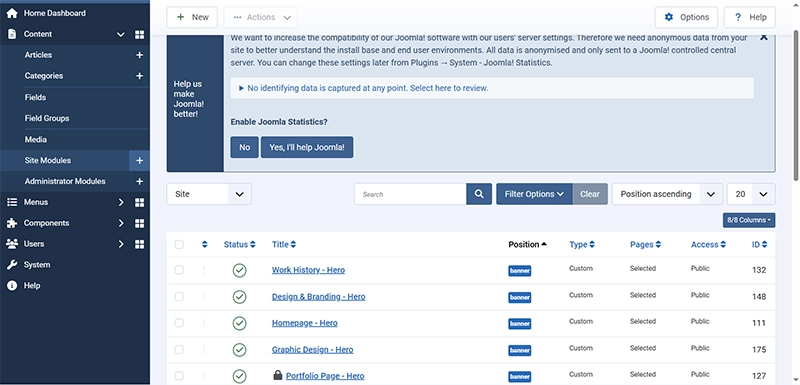
Recent generations of Joomla have focused heavily on modernizing both the administration experience and the technology behind the platform.
The result is a CMS that feels significantly different from older Joomla installations.
The administrator interface is cleaner, content workflows are easier to understand, accessibility receives greater attention, and the underlying platform continues to move toward modern PHP and web-development standards.
For developers, this matters because a CMS is not only about what visitors see on the front end. It also needs to remain manageable behind the scenes.
A well-built Joomla website can give editors a relatively straightforward environment for updating articles, menus, modules, images, categories, and other content without requiring them to edit the site's underlying code.
Joomla's Template System Remains One of Its Strengths
One reason I enjoy working with Joomla is the amount of control its template and module system provides.
A developer can create a consistent visual framework while still defining specific positions and layouts for different parts of the website.
For example, a website might have dedicated areas for the header, navigation, hero content, breadcrumbs, sidebar content, calls to action, footer modules, and other reusable sections.
This makes it possible to create sophisticated layouts without treating every page as an isolated design.
Modern Joomla templates such as Cassiopeia also provide a useful starting point for custom development.
Rather than replacing everything with a heavy page builder, developers can extend the template with custom CSS, JavaScript, overrides, module positions, and reusable components.
For projects where performance and maintainability matter, that can be a major advantage.
Better Control Over Content Structure
Content organization becomes increasingly important as a website grows.
Joomla provides built-in categories, menu management, modules, tags, custom fields, and access controls that can help keep larger websites structured.
This is especially valuable for websites containing different types of information.
A travel website, for example, might have destination pages, individual trips, blog articles, FAQs, promotional content, and booking information. A professional services website might contain separate service areas, portfolio projects, educational articles, team information, and lead-generation pages.
When the content structure is planned properly, Joomla can manage these relationships without turning the administration area into an unorganized collection of pages.
Joomla and SEO
A CMS does not automatically create strong SEO. The quality of the site's architecture, content, technical implementation, and ongoing optimization still matters.
However, Joomla provides many of the foundations needed for an SEO-friendly website.
Clean URLs can be configured, page titles and metadata can be managed, heading structures can be controlled, redirects can be implemented, and content can be organized into logical categories and menus.
Developers can also improve technical areas such as structured data, internal linking, image optimization, page performance, canonicalization, and crawlability.
The important distinction is that Joomla provides the tools, but good SEO still depends on how those tools are used.
A beautifully designed Joomla website with poor content architecture and weak technical implementation can still struggle in search. Conversely, a carefully structured Joomla site can provide a solid foundation for long-term organic visibility.
Performance Depends on How the Website Is Built
Joomla itself is only one part of website performance.
Templates, extensions, images, fonts, scripts, hosting, caching, and third-party services all affect how quickly a website loads.
One common mistake is installing an extension for every small requirement. Over time, this can add unnecessary code and make the website harder to maintain.
I generally prefer a more deliberate approach: use the CMS for what it already does well, add extensions when they provide meaningful functionality, and use lightweight custom development when appropriate.
Images should also be properly sized and compressed, unnecessary scripts should be avoided, and caching should be configured carefully.
The goal should not simply be achieving a perfect score in a testing tool. The goal is creating a website that feels fast and responsive to actual visitors.
Joomla vs. WordPress: It Doesn't Have to Be a Competition
Joomla and WordPress are often compared as though one platform must always be better than the other.
In practice, both can be excellent choices.
WordPress has an enormous ecosystem and can be particularly convenient when a project depends on specific plugins, integrations, or WooCommerce.
Joomla can be especially attractive when a project benefits from structured content, flexible module positioning, granular user permissions, menu control, and a development approach that does not depend heavily on third-party page builders.
I work with both platforms, and I prefer choosing the technology based on the project rather than forcing every project onto the same CMS.
The best platform is usually the one that satisfies the website's requirements while remaining secure, maintainable, scalable, and practical for the people who will manage it.
Security and Maintenance Still Matter
No CMS should be installed and forgotten.
Joomla websites need regular updates, backups, extension reviews, security monitoring, and compatibility checks just like other content management systems.
Keeping the Joomla core and extensions current is particularly important. Outdated extensions can create compatibility problems and may introduce security risks.
Before performing major upgrades, it is also good practice to create a complete backup and verify that the site's template, extensions, PHP version, and server environment meet the new version's requirements.
This becomes even more important when maintaining an older Joomla website that needs to move across several major versions.
Sometimes upgrading is appropriate. In other situations, rebuilding the website on a clean modern installation may provide a better long-term result.
When Joomla Is a Good Choice
Joomla can be a strong option for businesses and organizations that need more than a simple brochure website.
It is particularly worth considering when the project requires structured content, multiple content categories, flexible module placement, custom templates, detailed navigation, user access levels, or a website that may expand significantly over time.
It can also work well for developers who prefer having direct control over the site's HTML, CSS, JavaScript, template structure, and content architecture.
That control is one of the reasons Joomla remains part of my own web-development toolkit.
What I Expect From Joomla Going Forward
The future of any CMS depends on its ability to adapt to changes in web technology and the expectations of both developers and website owners.
For Joomla, continued improvements in performance, accessibility, security, development standards, content workflows, and integration with modern web technologies will be important.
At the same time, Joomla does not need to become another drag-and-drop website builder to remain useful.
Its strength is its ability to provide a structured CMS while still giving developers considerable control over how a website is built.
For the right project, that remains valuable.
Final Thoughts
Joomla may not receive the same level of mainstream attention as some competing platforms, but that does not make it obsolete.
Modern Joomla is capable of powering professional, responsive, SEO-ready, and highly customized websites when it is implemented correctly.
Like any CMS, its effectiveness depends on the quality of the planning and development behind it.
For me, the biggest reason to continue using Joomla is simple: control.
I can structure content carefully, decide where modules appear, customize templates, build reusable components, optimize performance, and create an administration experience that fits the website rather than forcing the website to fit a page builder.
And when a project calls for those capabilities, Joomla remains a platform worth considering.
Frequently Asked Questions About Joomla
Is Joomla still relevant in 2026?
Yes. Joomla remains a capable content management system for websites that need structured content, flexible module placement, user access control, custom templates, and long-term scalability. It may not be as widely used as WordPress, but it continues to be a strong option for projects that benefit from greater control over content and layout.
Is Joomla good for business websites?
Yes. Joomla can work well for business websites, service websites, blogs, directories, travel websites, membership sites, and other content-driven projects. Its menu system, categories, modules, permissions, and template flexibility make it useful for websites that may grow beyond a simple brochure-style site.
Is Joomla good for SEO?
Joomla provides many of the tools needed for an SEO-friendly website, including clean URLs, metadata controls, redirects, structured content, and customizable page layouts. However, good SEO still depends on content quality, site structure, performance, internal linking, and proper technical implementation.
Is Joomla better than WordPress?
Neither platform is automatically better for every project. WordPress has a larger plugin ecosystem, while Joomla offers strong built-in content organization, module positioning, menu control, and user permissions. The better choice depends on the website's goals, required features, maintenance needs, and development approach.
Can Joomla be used without a page builder?
Yes. Joomla can be customized using templates, modules, custom HTML, CSS, JavaScript, template overrides, and reusable components without relying on a page builder. This can help developers keep more control over performance, layout, and long-term maintainability.
Is Joomla suitable for large websites?
Joomla can support larger websites when the content structure is planned properly. Categories, menus, modules, custom fields, tags, and access controls can help organize substantial amounts of content while keeping the administration area manageable.
Does Joomla require regular maintenance?
Yes. Like any content management system, Joomla should be kept updated. Regular maintenance may include Joomla core updates, extension updates, backups, security checks, PHP compatibility reviews, performance monitoring, and removal of outdated or unnecessary extensions.
Can an old Joomla website be upgraded?
In many cases, yes, but the best approach depends on the age of the installation, template compatibility, extensions, PHP version, and database structure. Some older Joomla websites may be better rebuilt on a clean modern installation rather than upgraded through several major versions.