

When a website loads slowly, responds poorly, or shifts unexpectedly while content is appearing, visitors notice. They may not know whether the problem comes from an oversized image, unnecessary JavaScript, poor hosting, or inefficient code, but they can feel the difference.
A faster website can create a smoother experience for visitors, make content easier to access, and provide a stronger technical foundation for search visibility and conversions.
Improving performance, however, is not simply about chasing a perfect score in a testing tool. The real goal is to identify what is slowing the website down, prioritize the problems that matter most, and make improvements that visitors can actually experience.
Here are some of the practical areas I look at when improving website performance.
Start With a Performance Audit
Before changing anything, measure the website.
Optimization works better when you understand the current condition of the site rather than making random changes and hoping they help.
A performance audit can reveal issues such as large images, slow server response, render-blocking resources, excessive JavaScript, layout shifts, unused code, or third-party scripts that take too long to load.
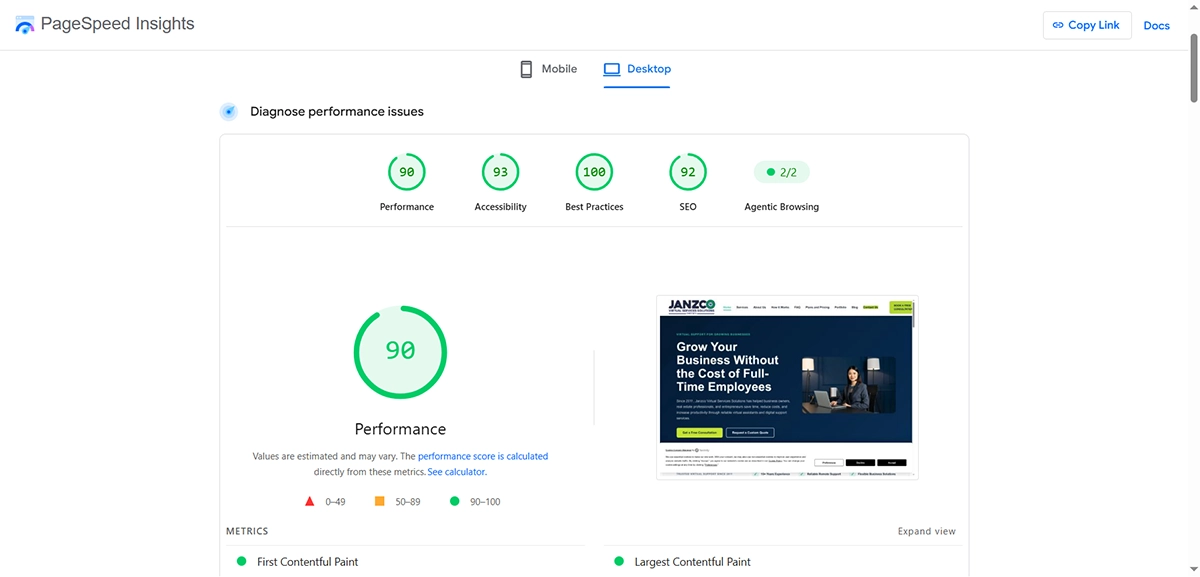
Tools such as Lighthouse and PageSpeed Insights can provide useful diagnostic information, but their scores should be treated as indicators rather than the entire objective.
I also like to test actual pages individually.
The homepage may perform well while a service page, blog article, product page, or landing page has completely different problems.
Understanding those differences helps determine where optimization work will have the greatest impact.
Optimize Images Before Uploading Them
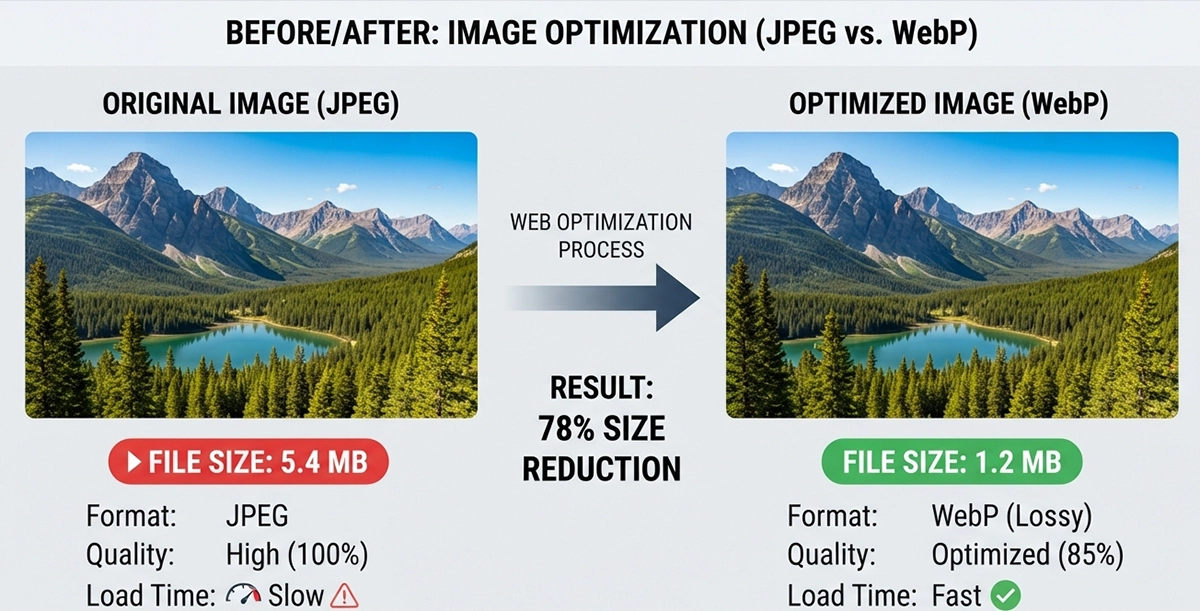
Images are one of the most common causes of unnecessarily large web pages.
A photograph taken with a modern camera or phone can be several megabytes in size. Uploading that original image directly to a website forces visitors to download much more data than they need.
Start by resizing images according to how they will actually be displayed.
If an image is displayed at approximately 1200 pixels wide, there is usually little benefit in serving a 5000-pixel version of the same image to every visitor.
Compression is equally important.
Modern image formats such as WebP can often provide excellent visual quality at considerably smaller file sizes than traditional formats, depending on the image and compression settings.
The goal is not to make every image look heavily compressed. It is to find a sensible balance between visual quality and file size.
Use Lazy Loading Where It Makes Sense
Not every image needs to load immediately.
Images that appear far below the visible portion of a page can often be lazy-loaded so the browser delays downloading them until the visitor gets closer to that section.
This can reduce the amount of data required during the initial page load.
However, lazy loading should be applied carefully.
Important above-the-fold images, particularly prominent hero content, may need to load immediately. Delaying an important visual can sometimes make the perceived loading experience worse rather than better.
Performance optimization is often about making the right resource available at the right time, not simply delaying everything.
Reduce Unnecessary CSS and JavaScript
As websites evolve, they often accumulate code.
A plugin may add its own stylesheet. A component may load another JavaScript library. An old feature might be removed while some of its assets remain. Individual pages may even load entire frameworks for functionality that only requires a few lines of CSS.
Eventually, the browser may be downloading resources that provide little or no value to the current page.
Review what the website is actually loading.
Remove obsolete code where it is safe to do so, avoid loading duplicate libraries, and consider whether a heavy dependency is necessary for a relatively simple feature.
This is especially important when working with content management systems because extensions and plugins can quietly add resources across the entire website.
A cleaner front end is usually easier to optimize and easier to maintain.
Be Careful With Third-Party Scripts
Not all performance problems come from your own code.
Analytics tools, advertising platforms, chat widgets, social embeds, tracking scripts, external fonts, video players, and marketing services can all add network requests and processing time.
Some of these tools may be important to the business, so simply removing everything is not always practical.
Instead, evaluate their value.
Is the script still being used? Does it need to load on every page? Is there a lighter implementation? Can it be loaded later without harming functionality?
Every third-party service has a performance cost. The question is whether the benefit it provides justifies that cost.
Improve Browser Caching
When someone visits a website, their browser downloads resources such as images, stylesheets, scripts, and fonts.
Caching allows some of those resources to be stored temporarily so they do not have to be downloaded from scratch every time the visitor opens another page or returns to the website.
Proper caching can make repeat visits and navigation through a website feel significantly faster.
Caching can be configured at several levels depending on the website and hosting environment, including browser caching, server caching, CMS caching, and content delivery networks.
The configuration needs to be handled carefully, particularly on dynamic websites where certain content must remain current.
The objective is to cache resources that do not need to be regenerated constantly while ensuring dynamic information continues to function correctly.
Pay Attention to Web Fonts
Typography plays an important role in website design, but fonts can also affect performance.
Loading multiple font families with many different weights and styles can add unnecessary requests and file size.
In many cases, a website does not need five or six font weights.
Use the variations that are genuinely required by the design.
Font loading behavior can also be configured so visitors are not left staring at invisible text while a custom font downloads.
A visually sophisticated website does not need an excessive font setup. A smaller, carefully selected typography system can often produce a cleaner design and better performance at the same time.
Improve Server and Hosting Performance
Front-end optimization can only go so far if the server itself responds slowly.
Hosting quality, server resources, PHP configuration, database performance, geographic server location, and traffic levels can all affect how quickly the initial page begins loading.
This is particularly noticeable on CMS-based websites where the server may need to execute PHP and retrieve information from a database before generating the page.
Keep the server environment current and appropriate for the platform.
For Joomla and WordPress websites, this includes using compatible PHP versions, maintaining the database, removing unnecessary extensions, and making sure the hosting environment provides enough resources for the site.
Sometimes the biggest performance improvement is not another optimization plugin. It is fixing the infrastructure underneath the website.
Consider a Content Delivery Network
A content delivery network, or CDN, can distribute website resources through servers located in different geographic regions.
Instead of every visitor retrieving files from one origin server, a CDN may deliver cached resources from a location closer to the visitor.
This can reduce latency, particularly for websites serving audiences across multiple countries or regions.
A CDN is not a replacement for good website optimization, however.
Serving an unnecessarily large image from a nearby server still means serving an unnecessarily large image.
Optimize the website first, then use delivery infrastructure to make an already efficient site even better.
Understand Core Web Vitals
Core Web Vitals are metrics designed to evaluate important aspects of the real user experience.
Rather than treating them as mysterious SEO numbers, it is more useful to understand what they represent.
Largest Contentful Paint (LCP) relates to how quickly the primary visible content becomes available.
Interaction to Next Paint (INP) focuses on how responsive a page feels when a visitor interacts with it.
Cumulative Layout Shift (CLS) measures unexpected movement of page elements while the page loads.
Improving these areas often leads to improvements visitors can actually notice: important content appears sooner, interactions feel more responsive, and the layout stops jumping around unexpectedly.
That makes Core Web Vitals useful even beyond their relationship with search.
Design for Mobile Performance
A website that performs well on a powerful desktop computer connected to fast broadband may behave very differently on a mobile device.
Mobile visitors may have slower connections, less processing power, smaller screens, and different interaction patterns.
This is why performance testing should include mobile conditions.
Responsive design also involves more than making columns stack vertically. Images, navigation, animations, spacing, scripts, and interactive elements should all be evaluated for smaller devices.
Sometimes an effect that looks impressive on desktop creates unnecessary work on mobile.
Good responsive design considers both visual layout and performance.
Keep Your CMS Clean
Joomla, WordPress, and other content management systems can become cluttered over time.
Old plugins remain installed. Unused modules stay published. Test templates are forgotten. Extensions load assets that are no longer necessary.
Regular cleanup can reduce complexity and make performance problems easier to diagnose.
Before removing anything, create a backup and verify whether the extension, module, plugin, or asset is actually being used.
The objective is not to achieve the smallest possible installation. It is to maintain a website where every major component has a clear purpose.
Avoid Optimization for the Score Alone
It can be tempting to treat a performance score as the final objective.
A score is useful because it gives us something measurable, but optimization decisions should still consider the actual website.
Removing an important feature to gain a few points may not improve the business outcome. Aggressive optimization can also break layouts, forms, tracking, interactive components, or third-party integrations.
I prefer to ask three questions:
Does the website load quickly for real visitors?
Does it remain stable and responsive while they use it?
Can we improve performance without damaging functionality or maintainability?
Those questions provide more context than a single number.
Performance Optimization Is an Ongoing Process
Websites change.
New articles are published. Images are uploaded. Plugins are installed. Marketing scripts are added. Design components evolve. Hosting environments change.
A website that performs well today can gradually become slower if nobody monitors those changes.
Performance should therefore be treated as part of website maintenance rather than a one-time task.
Periodic audits can identify new problems before they become significant.
This is particularly valuable after major design changes, CMS upgrades, extension installations, analytics changes, or the addition of new third-party services.
Final Thoughts
Website performance is rarely improved by one magic setting.
The strongest results usually come from a combination of smaller, deliberate improvements: optimized images, cleaner code, sensible caching, fewer unnecessary resources, better hosting, careful third-party integrations, and responsive design decisions.
Most importantly, optimization should focus on the people actually using the website.
A performance score can help identify problems, but the real success is a website that loads quickly, responds smoothly, remains visually stable, and helps visitors accomplish what they came to do.
That is the kind of performance worth optimizing for.
Frequently Asked Questions About Website Performance
Why is website performance important?
Website performance affects how quickly visitors can access and interact with your content. A faster, more responsive website can create a better user experience and provide a stronger technical foundation for engagement, search visibility, and conversions.
What commonly causes a website to load slowly?
Common causes include oversized images, unnecessary JavaScript and CSS, slow hosting, excessive plugins or extensions, third-party scripts, inefficient caching, web fonts, and poorly optimized website components.
How can I improve my website loading speed?
Start by measuring current performance. Common improvements include optimizing images, reducing unnecessary code, configuring caching, reviewing third-party scripts, improving hosting, cleaning up the CMS, and testing the website on both desktop and mobile devices.
What are Core Web Vitals?
Core Web Vitals are metrics that help evaluate important parts of the user experience. They include Largest Contentful Paint for loading performance, Interaction to Next Paint for responsiveness, and Cumulative Layout Shift for visual stability.
Do large images slow down a website?
They can. Images are often among the largest resources on a web page. Resizing images appropriately, compressing them, using modern formats such as WebP, and applying lazy loading where appropriate can reduce unnecessary data transfer.
Does website hosting affect performance?
Yes. Server response time, available resources, PHP configuration, database performance, server location, and hosting infrastructure can influence how quickly a website begins delivering content to visitors.
Do I need a perfect PageSpeed score?
Not necessarily. Performance testing scores are useful diagnostic indicators, but they should not be the only goal. A website should primarily load quickly, remain responsive and visually stable, and preserve the functionality visitors need.
How often should website performance be checked?
Performance should be reviewed periodically and after significant website changes. New content, images, plugins, scripts, design updates, CMS upgrades, and third-party integrations can all affect performance over time.